
We were talking about the relentless pace of new AI tools hitting the market: a new product category every week, dozens of tools competing in each one, with wildly different pricing, technical requirements, and fit for different business contexts. The question was: how do you actually make sense of this? How do you choose the right tool for a specific job without spending weeks evaluating options or relying on vendor-sponsored reviews?
Interestingly, I was already spending a lot of time learning how to build AI-powered systems. The timing was right. I decided to try and build the answer rather than just talk about the problem.
The Problem Worth Solving
If you work in a business that is trying to adopt AI or advise clients who are, you will recognise the situation immediately. Every week brings new tools, new categories, new claims. Marketing AI. Sales AI. Services AI. Operations AI. Each with its own pricing tiers, integration requirements, and suitability profile. The market is noisy by design: vendors have every incentive to make their tool sound universally applicable.
The cost of a bad tool selection is not just the subscription fee. It is the implementation time, the team onboarding, the expectation-setting with stakeholders, and ultimately the credibility lost when the tool does not deliver what was promised. For businesses, getting this wrong is expensive. For consultants and advisors, getting it right is the job.
There was a real problem here, not a manufactured one. The team was spending significant time on proposal preparation, researching tools, and justifying recommendations. I wanted to see if that could be automated without sacrificing quality.
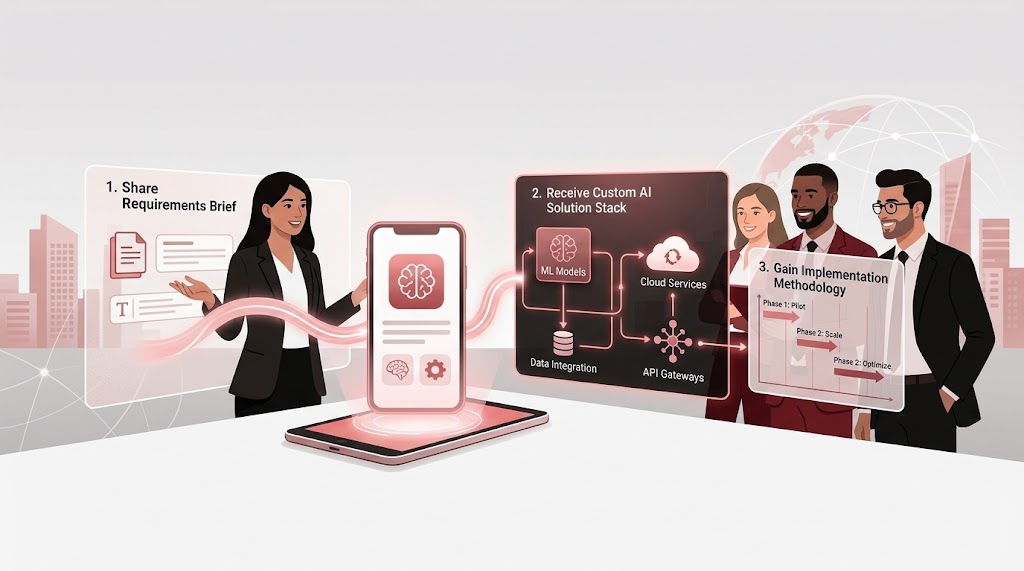
The AI Solution Advisor was built to address this directly: assess a business's specific context through a structured brief, match them to the most relevant tools from a curated knowledge base of over 200 options, and generate a detailed implementation proposal. What started as a weekend build became something the team actually uses.
How It Grew: Three Versions, One Idea
The build did not arrive fully formed. It went through three distinct generations, each one adding capability while keeping the core idea intact.

Version 1: The Selector
The first version was deliberately narrow. Input a use case, get a ranked list of relevant tools. That was it. No recommendations, no strategy, no rationale; just a retrieval layer on top of the knowledge base.
It was useful enough to validate the concept, but the limitations were obvious almost immediately. A list of tools without context is not much more helpful than a Google search. What people actually needed was not a list, but a recommendation they could act on and explain to others.
Version 2: The Advisor
Version 2 was a significant expansion. The input became a proper multi-step assessment form that collects not just the use case, but the business context, current technology stack, team size, budget range, timeline, and strategic priorities. The output expanded to match.
Instead of a list, the system now generated a full solution brief: a recommended tool stack, a strategic rationale for each selection, a graphical illustration of how the tools would work together, and a phased implementation roadmap. The RAG layer (retrieving relevant tool entries from the knowledge base and injecting them into the prompt) became the engine of the recommendations.
The design logic: The assessment brief anchors the retrieval. The richer the input, the more precisely the knowledge base can be queried, and the more specific the output. Vague input produces generic recommendations. Specific input produces advice that feels like it came from someone who knows your business.
Version 3: The Platform
The third generation added two capabilities that shifted the product from internal tool to something you could put in front of a client.
The first was a proposal generator. Based on the assessment output, users could select from pre-defined templates and generate a full, formatted proposal document, complete with executive summary, recommended solutions, commercial options, and next steps. This is also where the most debugging happened, which I will come back to.
The second was a chat agent. Once a proposal is shared with a client, they can interact with it through a chat interface. The agent is grounded not just in the proposal content, but in any additional documents attached as RAG and it could be company credentials, past case studies, relevant reference documents and so on. A client can ask about implementation timelines, compare options, or dig into specific tool recommendations, and the system responds from the actual content rather than generating plausible-sounding answers.
The effect: Proposals became interactive. Instead of a PDF that a client reads once and files, the Advisor creates a living document that can answer follow-up questions. That changes the conversation.
What Happens Under The Hood
The technical architecture is simpler than the output suggests. The platform was built on a no-code tool or more accurately, a backend-as-a-service platform, with a React and TypeScript frontend. No servers to manage, no infrastructure to maintain. The complexity is in the design of the flows, not the engineering.

Each stage of the user journey maps to a different AI interaction:
The Knowledge Base: Why It Matters More Than The Model
If I had to identify the single most important decision in the build, it would be the knowledge base. Not the LLM choice, not the prompt engineering, not the UI. The knowledge base.
The Advisor's knowledge base contains over 200 AI tools, each documented across more than 25 structured fields. The depth of this documentation is what makes the recommendations trustworthy rather than generic.

The GCC-specific context layer deserves particular mention. Tool recommendations that work globally are not always right for businesses in the region. Data residency requirements, local office presence, Arabic language support, payment methods, and regional compliance certifications all affect tool suitability in ways that a generic global knowledge base would miss entirely. These fields were added specifically because the platform was built for a GCC audience.
The initial version of the knowledge base was sparse: tool names, categories, and brief descriptions. The recommendations it produced were superficially correct but not specific enough to be genuinely useful. A business would get told to use a workflow automation tool without any real differentiation between Zapier, Make, and n8n, tools that have very different cost profiles, technical requirements, and suitability for different contexts.
Rebuilding the knowledge base with the depth it needed was the highest-ROI investment in the entire project. The model did not get smarter. The retrieval got better, and the output transformed.
What Broke And What It Took To Fix It
The Inconsistency Problem
The first challenge was output consistency. Early versions of the Advisor would give meaningfully different recommendations for identical inputs. Ask the same question twice and you would get a different tool stack, different rationale, sometimes a different strategic direction.
This is not a bug in the traditional sense; it is a feature of how LLMs work. They are probabilistic by nature. The same prompt does not guarantee the same output. For a tool selection use case, that is a serious problem. If clients can reproduce different recommendations by refreshing the page, the system loses credibility instantly.
The fix required two things working together: a richer knowledge base that gave the retrieval layer less ambiguity to work with, and more prescriptive system prompts that constrained the model's latitude. Instead of asking the LLM to recommend tools, the prompts were rewritten to instruct it to select from the retrieved options and justify each selection against specific criteria from the assessment. Less creative latitude. More deterministic output.
The Template Generator Problem
The proposal generator was the hardest component to get right. The idea was straightforward: take a pre-defined HTML template, inject the assessment data, and generate a complete formatted proposal. In practice, it took significantly more iteration than any other part of the build.
The core problem was that LLMs are not reliable template fillers. Left with latitude, the model would rewrite sections, alter the structure, remove formatting, or ignore template placeholders entirely. Sometimes it generated valid HTML. Sometimes it generated HTML that broke the rendering. Occasionally it abandoned HTML altogether and returned plain text wrapped in markdown fences.
What eventually worked was a highly structured prompt with explicit rules: preserve all HTML tags and structure, fill only the designated placeholder content, do not add sections not in the template, validate your output as valid HTML before returning it. Even then, edge cases continued to surface. The generation is stable now, but it required more disciplined prompt engineering than any other component.
The lesson: Template-based generation is genuinely hard. The model has been trained to be creative and complete, qualities that actively work against strict template adherence. The solution is not a smarter model. It is a more constrained prompt, with explicit rules about what the model must not do.
What It Delivered
The AI Solution Advisor was built for the company and received a genuinely positive reception, not the polite kind, but the kind where people actually use it.
The team was spending considerable time on proposal preparation: researching relevant tools, writing justifications, assembling implementation roadmaps, formatting documents. Each proposal was largely bespoke, which meant the effort did not compound. Every new client engagement started mostly from scratch.
The Advisor changed that. An assessment that previously took hours of research and writing could be generated in minutes, with the team's time shifting from information gathering to quality review and customisation. The proposals also became more consistent, the same level of rigour and structure regardless of who on the team prepared it.
What it added beyond time savings was intelligence that was hard to replicate manually at scale. The GCC-specific context, the 'when not to use' distinctions, the competitive alternatives, the compliance considerations; if all of this need to be done by a consultant manually would need significant domain knowledge to include all of that reliably. The knowledge base puts that depth behind every recommendation automatically.
The most meaningful signal was that colleagues started using it without being asked to. That is the only adoption metric that really matters.
What I Would Do Differently
Every build teaches you things you did not know you needed to learn. A few that stand out:
| Decision | What I Learned |
|---|---|
| Start with the knowledge base | I started with the UI and the prompt structure. The knowledge base came later. I should have done it the other way around; the KB quality determines the ceiling on everything else. |
| Design for consistency from day one | Prompt constraints that enforce consistent output should be built in from the first version, not added as fixes after inconsistency becomes apparent. |
| Template generation needs its own prompt | The proposal generator prompt should be entirely separate from the recommendation prompt: different task, different constraints, different failure modes. Treating them similarly cost time. |
| Build the chat agent earlier | The Q&A layer turned out to be what clients engaged with most. It should have been a first-class feature from the start, not an extension. |
What This Build Demonstrates
The AI Solution Advisor is not a sophisticated piece of engineering. It is a well-designed product built on widely available components: a BaaS platform, a commercial LLM, a curated knowledge base, and a structured prompt architecture. No proprietary models. No custom training. No infrastructure team.
What it demonstrates is that the barrier to building production AI applications is lower than most organisations assume. The decisions that determine whether it works are not primarily technical; they are about what problem you are solving, how deeply you understand the domain you are building for, and how carefully you design the knowledge and instruction layers that the LLM operates within.
The technology is the easy part. The domain expertise, the knowledge curation, and the product design are where the real work happens and that’s where the differentiation lives.